Table Saw Workstation
Table saw workstation setups have gotten complicated with all the shop organization content and YouTube builds flying around. As someone who has redesigned my own setup three times before landing on something that actually works, I learned what matters and what’s mostly just looks good on camera. Today, I will share it all with you.
Choosing the Right Table Saw
The workstation design starts with the saw itself, so getting that decision right matters. Consider motor power, blade size, and whether you need portability. Higher horsepower handles harder species and thicker stock without bogging down. Standard blade size is 10 inches, which handles nearly everything a home shop encounters.
Stationary vs. Portable
Stationary saws offer stability and power that portable units can’t match — ideal for a permanent shop setup where the saw isn’t moving. Portable table saws trade some of that rigidity for the ability to bring the saw to a job site or tuck it away in a smaller space. I’m apparently a stationary-saw person — portable saws work for plenty of people but I’ve never gotten the accuracy out of one that I can get from a heavier cabinet saw bolted to the floor.
Designing Your Workstation
Plan the layout before you build anything. The workstation needs to accommodate the full range of motion around the saw and give you enough room to handle full sheet goods without fighting the space.
Table Extensions
Table extensions are one of those things where the value is hard to explain until you’ve tried to rip an eight-foot board without one. They support the workpiece throughout the cut and eliminate the sag that pulls the board off line. Adjustable extensions maximize versatility when you’re switching between sheet goods and shorter stock.
Dust Collection System
Implementing a real dust collection system is not optional in a closed shop. Connect a vacuum or dedicated collector to the saw’s dust port, and add a shroud or hood around the blade for better capture. Sawdust is a fire hazard, a health hazard, and it gets into everything. Getting the dust collection right early saves a lot of cleanup and a lot of breathing problems later.
Safety Measures
Safety at the table saw gets talked about constantly, but a lot of shops still cut corners on it. Don’t. The injuries this tool can cause are severe and permanent. Build your workstation with safety as a constraint, not an afterthought.
Blade Guard
Use the blade guard. Some guards are clear, which helps visibility while cutting. The guard is there for a reason and removing it for convenience is a habit that eventually catches up with people. Keep it in place for every cut where it can physically be used.
Push Sticks and Featherboards
Push sticks guide narrow stock through the cut without putting your fingers near the blade. Featherboards keep materials tight against the fence, which reduces kickback risk and improves cut quality. My shop buddy nearly lost a finger before he started using a push stick consistently. Make them part of the process, not an optional accessory you reach for sometimes.
Storage Solutions
Good storage built into the workstation keeps the tools you use constantly within arm’s reach rather than across the shop. That’s what makes a workstation actually worth building instead of just setting the saw on a piece of plywood.
Blade Storage
Store blades in a dedicated rack or drawer. Label each slot so you can find the right blade without pulling them all out. Never stack blades — the teeth contact each other and both blades suffer for it.
Accessory Drawers
Drawers for push sticks, featherboards, wrenches, and other small accessories make a real difference in how efficiently you work. If you have to search for a push stick every time you need one, you’ll start skipping it. Make the safe habit the easy habit.
Electrical Considerations
The electrical situation shapes everything. Get it wrong and you’re tripping breakers in the middle of cuts.
Dedicated Circuit
Put the table saw on its own dedicated circuit. Running the saw on a shared circuit with other tools or shop lights is asking for nuisance trips at the worst possible moment — and in some cases, a real electrical hazard.
Extension Cords
If you must use an extension cord temporarily, use one that’s properly rated for the amperage your saw draws. An undersized cord heats up and causes voltage drop that strains the motor. Size it right or don’t use one.
Workholding and Supports
Supporting the material throughout the cut is as important as the cut itself. Unsupported stock flexes, binds, and produces inaccurate cuts that ruin workpieces.
Outfeed Tables
An outfeed table is the single most useful addition to a table saw setup. It catches the material after it clears the blade, preventing it from tipping off the back of the saw mid-cut. Adjustable outfeed tables handle different thickness stock; fixed versions work fine if you’re mostly cutting to the same surface height.
Clamping Solutions
Clamps for holding workpieces securely during certain operations belong in the workstation too. Integrate clamp storage so they’re always within reach — a clamp you have to go find in another corner of the shop is a clamp you won’t use.
Maintenance and Upkeep
A table saw that isn’t maintained cuts poorly and wears out faster. Build a maintenance routine into your shop schedule rather than waiting for something to go wrong.
Blade Cleaning
Clean blades regularly to remove the pitch and resin buildup that accumulates with use. A dirty blade requires more force to cut and produces more heat, which shortens blade life and degrades cut quality. Took me three ruined blades to start doing this consistently.
Lubrication
Lubricate moving parts to reduce wear and keep rust off bare metal surfaces. Use the appropriate lubricant for each component — dry lubricant on some parts, light machine oil on others. Check your saw’s manual for specifics.
Optimizing Workflow
The whole point of a workstation is to make the workflow faster and less frustrating. Arrange tools and materials to minimize unnecessary movement — every step you take to find something is time you’re not building.
Material Placement
Keep stock close to the saw. An organized rack or stack at infeed height means you can grab the next piece and keep moving rather than going back and forth across the shop.
Tool Organization
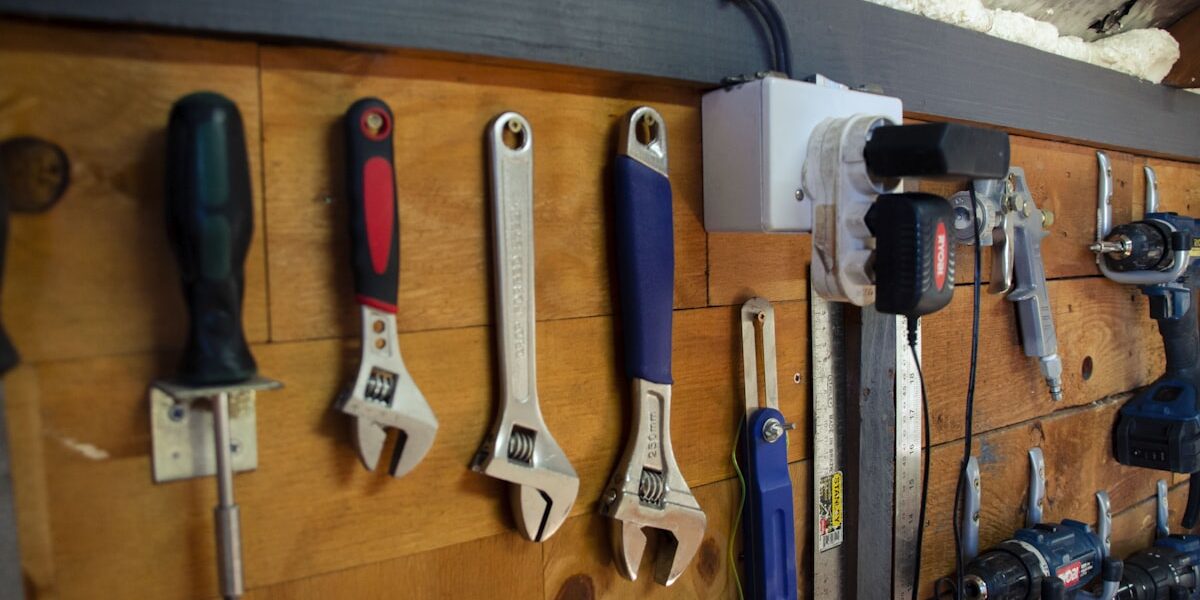
Hand tools used at the saw — squares, marking gauges, pencils — belong right there. Pegboard, magnetic strips, or custom holders built into the workstation keep them accessible without cluttering the work surface.
Ergonomics and Comfort
You can’t build well when you’re uncomfortable. Design the workstation around how your body actually works, not just how it looks in a shop tour photo.
Adjustable Heights
Adjustable-height stands and outfeed tables make a difference on longer sessions. The ideal saw height varies by person; the standard 34-35 inches works for many people but may not work for you.
Anti-Fatigue Mats
Place anti-fatigue mats where you stand during extended operation. Concrete floors are brutal on joints after a few hours. The mat is cheap; the knee problems are not.
Adding Mobility
In a smaller shop where space gets reconfigured for different projects, mobility is a genuine asset. Adding casters to the workstation and auxiliary tables means the setup can adapt to what you’re building.
Locking Casters
Locking casters are the only kind worth having on a table saw setup. The saw needs to stay put while you’re cutting — an unlocked caster that shifts mid-cut is dangerous. Lock the wheels before every use, unlock them only when you’re repositioning.
Foldable Elements
Fold-down extensions and support tables recover floor space when the saw isn’t in use. In a shop that doubles as storage or a parking space, this kind of flexibility keeps the setup practical without giving up capability when you need it.
Final Thoughts
A well-planned table saw workstation makes real work possible — accurate cuts, safer operation, and a shop that doesn’t fight you at every step. Get the layout right, build the safety features in from the start, and maintain what you build. That’s the setup that serves you for years rather than the one you end up tearing out and redoing.

Stay in the loop
Get the latest wood working workshop updates delivered to your inbox.