Table Saw Safety Features
Table saw safety has gotten serious attention from tool manufacturers over the past decade — more so than almost any other power tool category. As someone who has spent years at a table saw and seen what happens when the safety features are bypassed or ignored, I’ve come to appreciate each one of them. The table saw is the most useful machine in most shops; it’s also the most dangerous. Here’s what you need to understand about the safety systems that protect you.
Blade Guard
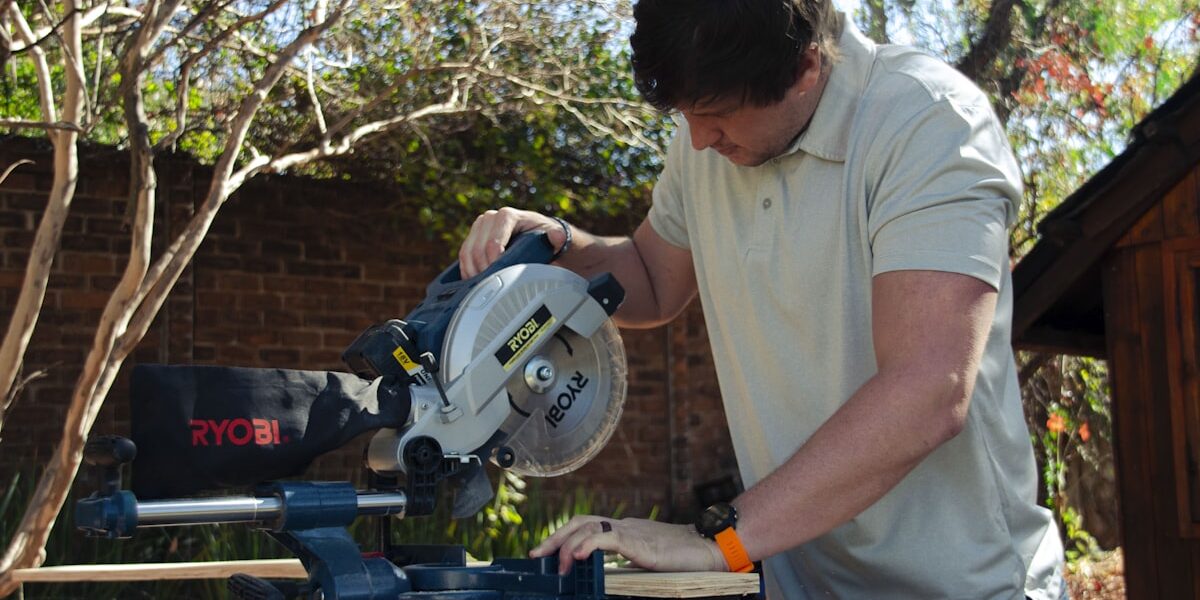
The blade guard is the most visible safety feature on any table saw, and also the one most commonly removed — which is a bad idea even when a specific cut seems to require it. The guard covers the blade above the table surface while still allowing material to pass through. Most modern guards are made from clear polycarbonate, which preserves the sight line to the cut while physically blocking hand contact with the blade. The guard should be on for every cut where it doesn’t actively prevent the cut from being made.
Riving Knife
The riving knife is probably the single most important safety component on a modern table saw, and it’s one that older saws often lack. Positioned directly behind the blade and mounted to the arbor assembly, the riving knife rises and falls with the blade — maintaining the same position relative to the cut regardless of depth setting. Its job is to keep the kerf open behind the blade so that wood can’t pinch against the back of the blade and cause kickback. A good riving knife, properly aligned and compatible with thin-kerf blades, dramatically reduces the risk of one of the most dangerous events that can happen at the saw.
Anti-Kickback Pawls
Anti-kickback pawls are the toothed metal fingers that mount alongside the riving knife or splitter. When a board tries to move backward — the motion that turns a workpiece into a projectile during kickback — the pawl teeth dig into the wood and arrest the movement. They’re passive devices that do nothing unless needed, which means they don’t interfere with normal cutting. Wish I’d understood their value earlier rather than viewing them as awkward pieces to work around.
Splitters
Splitters serve a similar function to riving knives but mount to the table surface behind the blade rather than to the arbor. Because they don’t move with the blade, splitters are only useful for through cuts where the blade height doesn’t change during the cut. For rabbets, dadoes, and any operation where the blade doesn’t cut all the way through, a splitter isn’t compatible and shouldn’t be used. For through ripping, splitters provide the same kerf-open benefit as a riving knife — just less versatile.
Push Sticks and Push Blocks
Push sticks and blocks are the manual safety tools you reach for when a cut brings your hands close to the blade. The rule I use: if my hand would pass within 6 inches of the blade without a push device, I pick up a push stick first. Push blocks with rubber grips on the bottom provide control and downward pressure simultaneously — useful for wide boards near the fence. Push sticks give directional control on narrower rips. Both are essential and neither takes more than a few seconds to grab. I’m apparently someone who keeps two push sticks and a GRR-RIPPER block at the saw at all times because running back to the pegboard mid-cut is how you develop bad habits about skipping them.
Magnetic or Electronic Brake Systems
Some table saws now incorporate magnetic or electronic brake mechanisms that stop the blade rapidly when power is cut — more quickly than normal mechanical inertia would allow. These systems can bring a spinning blade to a halt in fractions of a second compared to the several seconds a standard blade takes to coast to a stop. The reduced spin-down time is a meaningful safety improvement, especially in situations where you need to make a quick stop. These systems add cost and some complexity but represent a genuine advancement in saw safety technology.
Flesh Detection Systems
The SawStop system is the most well-known flesh detection technology on the market. It works by passing a small electrical signal through the blade; when the electrical properties of the blade change (as they do on contact with skin), a cartridge fires and stops the blade within milliseconds. The blade drops below the table surface and the cartridge is replaced rather than the operator’s fingers. The system is genuinely impressive and has prevented serious injuries. The trade-off is cost — both the saw and the replacement cartridges — and occasional false triggers on wet wood or aluminum. For professional shops and high-production environments, it’s worth the investment.
On/Off Switch Placement
An oversized paddle-style power switch located at a predictable, easy-to-reach position is something I look for on any table saw. The worst case scenario at a table saw is needing to cut power immediately and having to hunt for the switch. The switch should be reachable without releasing the workpiece during a cut and large enough to hit with a knee if your hands are occupied. Good switch placement is a design feature that matters more than it looks like it would on a spec sheet.
Dust Collection Port
Dust collection at the table saw is a safety matter beyond just cleanliness. Sawdust accumulation on the table creates a slipping hazard; airborne fine dust is a respiratory hazard with sustained exposure; chips and dust under the fence can cause material to shift during a cut. A quality dust port connected to an adequate collection system handles all of these. The collection port should connect to standard 4″ fittings without adapters — anything that requires an awkward connection tends to get disconnected and left off.
Adjustable Fence
A fence that doesn’t stay aligned parallel to the blade causes wood to bind against the fence during the cut — exactly the situation that leads to kickback. A quality fence locks firmly, adjusts precisely, and maintains parallel alignment throughout its travel. The Biesemeyer-style T-square fence became the standard because it solved the parallelism and lockup problems that afflicted older fence designs. When you’re evaluating a used saw or a budget model, the fence quality is one of the most important things to check.
Electric Motor Safety
Thermal overload protection in the motor prevents damage from extended heavy cuts that push the motor beyond its rating. The motor shuts off before damage occurs, allows cooling, and resets. Running the motor through the overload protection repeatedly — by routinely pushing cuts that cause thermal shutdowns — is a sign that the saw is undersized for the work or the cuts are too aggressive. A motor that shuts down is warning you, not failing on its own.
Miter Gauge with Safety Stops
A well-designed miter gauge holds the workpiece securely against the fence and maintains positive contact through the cut. Gauges with extendable fences and hold-down clamps give you more surface contact and more control on crosscut operations. The primary safety concern with crosscuts is keeping the workpiece from rotating or shifting as it contacts the blade — a rigid, positive connection between the gauge and the workpiece prevents that. Avoid pushing the gauge with only finger pressure on a small piece; use an auxiliary fence extension and a clamp instead.
Cord Management
Loose power cords around a table saw are trip hazards that can pull a person into the blade during a cut. Cord management — mounting the cord out of the floor path, securing it so it doesn’t tension across the work area — is a basic housekeeping matter that directly affects safety. Inspect cords regularly for wear, especially at the plug and at the point where the cord enters the saw. Damaged cords get replaced immediately.
Proper Lighting
Good lighting at the saw is a safety feature that gets overlooked in shop planning. The blade guard, the fence scale, the workpiece edge, and the cut line all need to be clearly visible. Overhead lights positioned to minimize shadows across the table help considerably. Dedicated task lighting at the saw is worth adding if the general shop lighting leaves shadows in the work area. You can’t make accurate, safe cuts on what you can’t see clearly.
Training and Safe Operation Tips
No safety feature substitutes for operator training and consistent safe habits. The features protect against mistakes; they don’t eliminate the need to not make them. Learn the saw thoroughly before using it on project material. Understand kickback mechanics and the conditions that cause it. Never stand in the kickback line — position yourself to the side of the cut path. Develop the habit of checking that safety features are in place before every session, not just when something seems wrong. The table saw rewards respect and punishes complacency.


Stay in the loop
Get the latest wood working workshop updates delivered to your inbox.